All plans
Google sign-in, and stay signed in
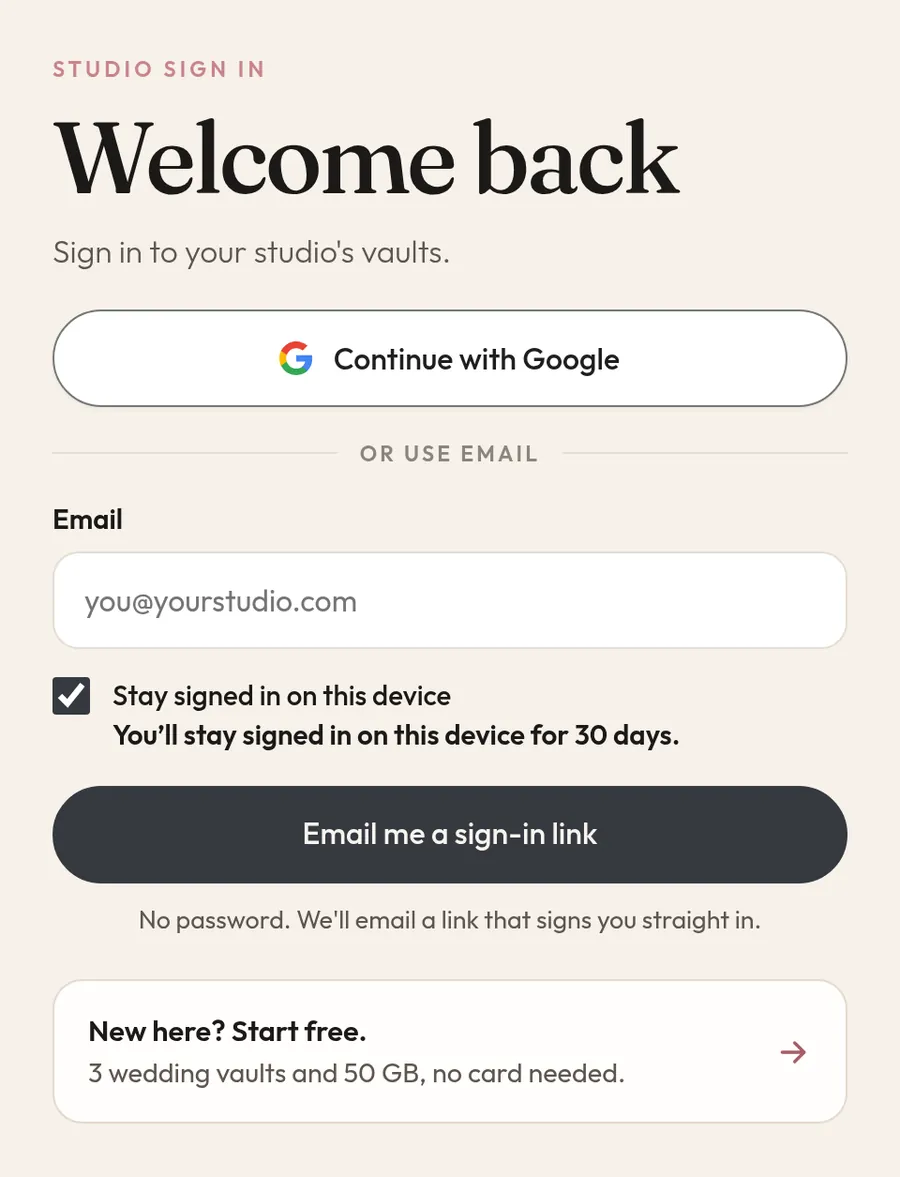
Continue with Google or get a sign-in link by email. No password to remember. Tick Stay signed in and that device keeps you in for 30 days.
Features
From the first card dump to the couple's gallery, every wedding gets its own vault with a RAW side and an Edited side. Here is everything that works in Trothora today, shown in the real app.
All plans means Core, Pro and Studio. Pro means Pro and Studio.
All plans
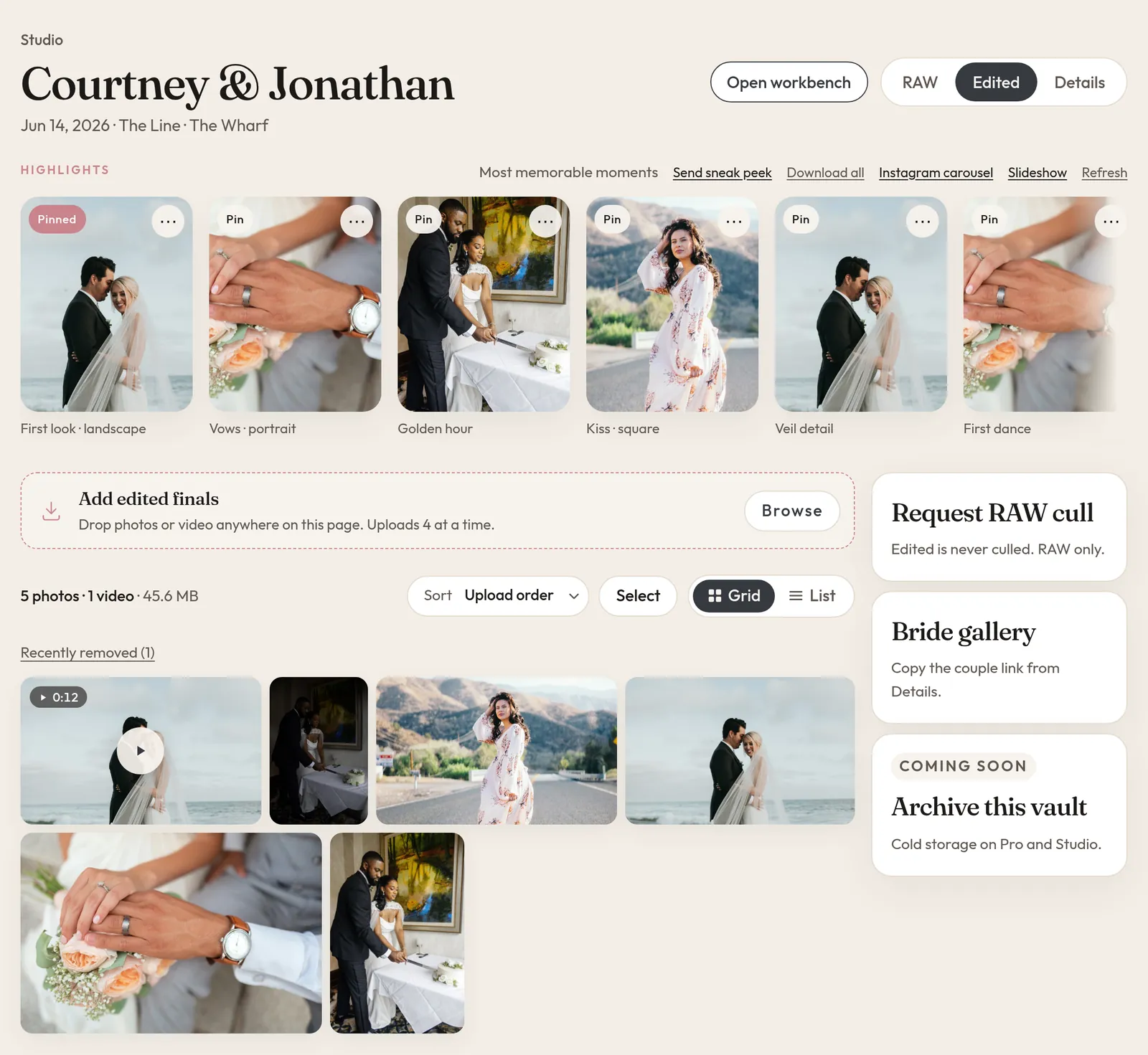
Each wedding gets its own vault. RAW files live on one side and Edited finals on the other, so the cards from the day never get mixed up with what you deliver.
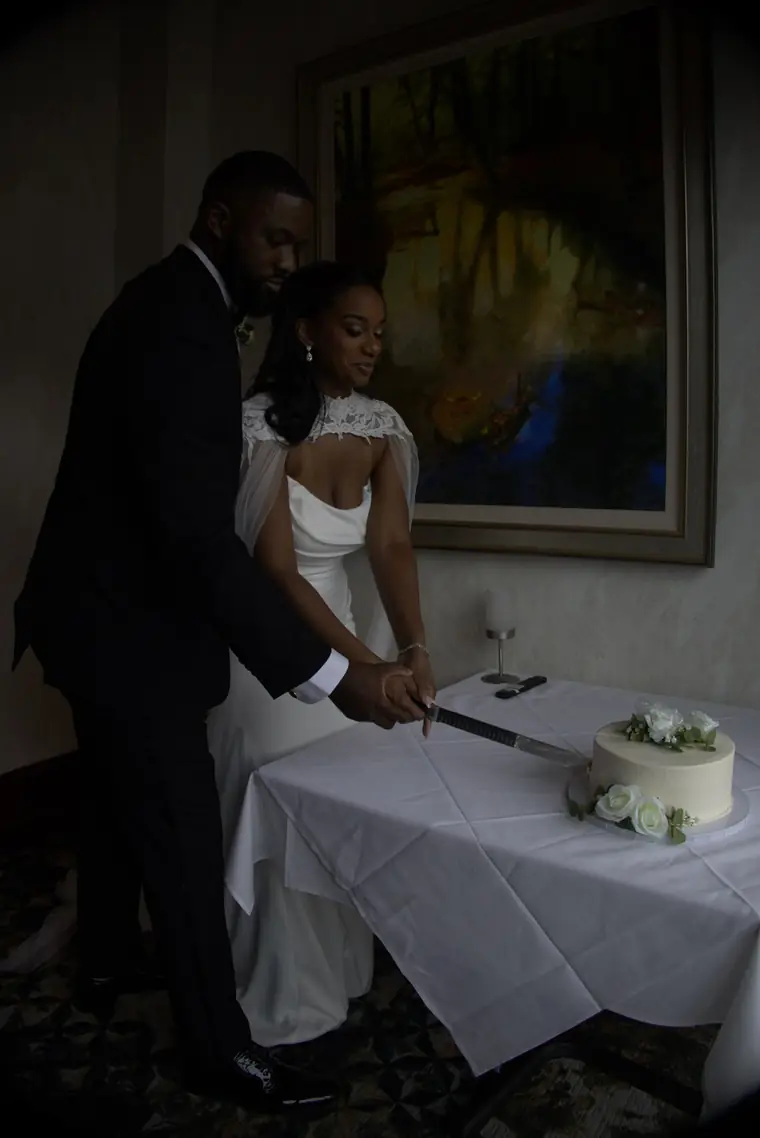
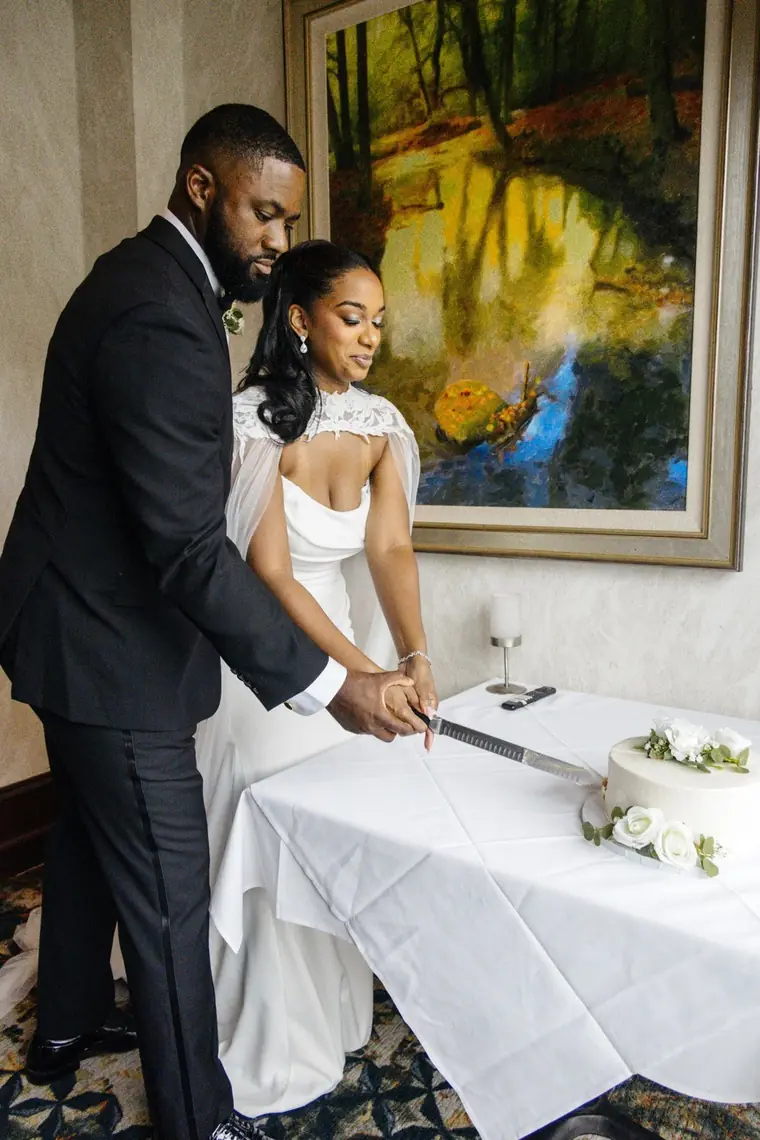
Frame IMG_0142 from Courtney & Jonathan. One exposure, two sides of the vault.
All plans
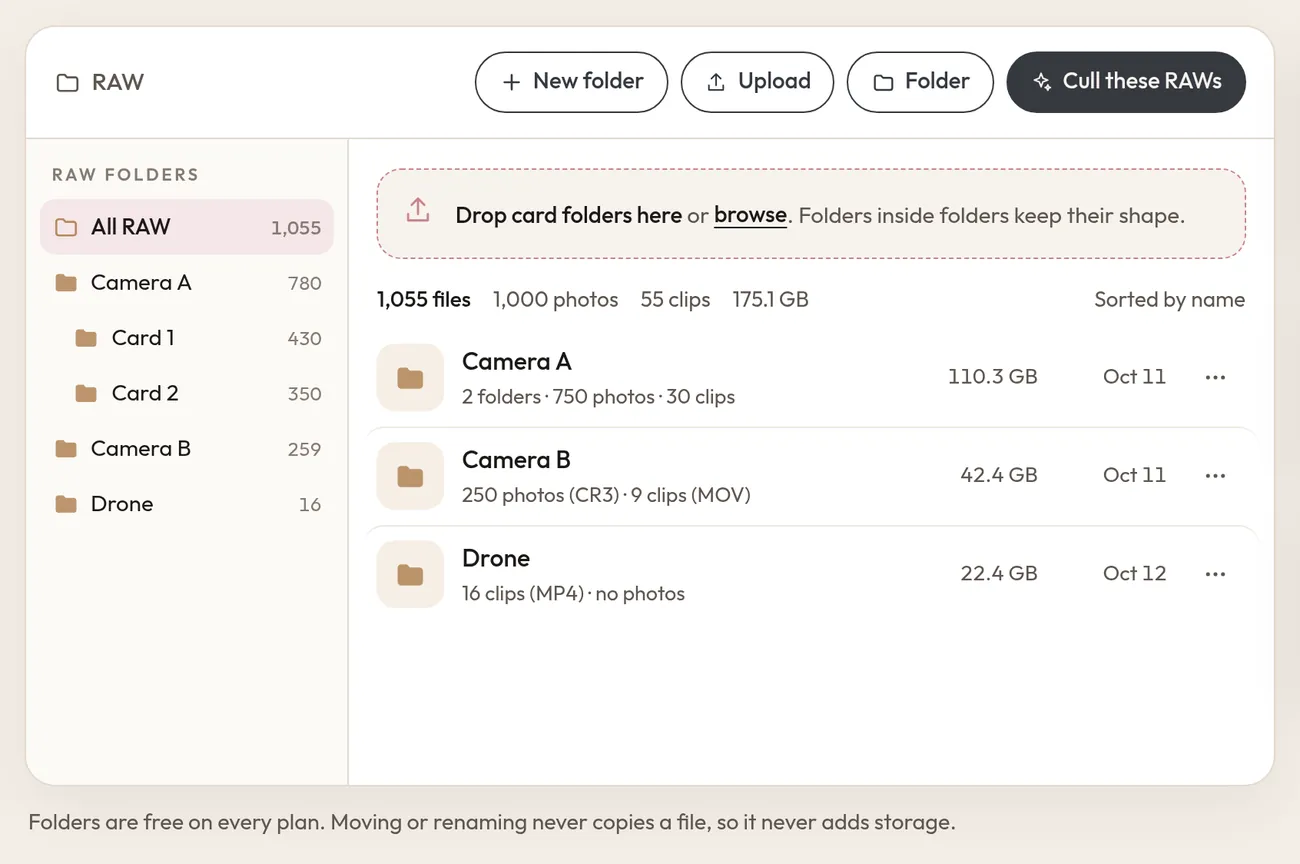
Drop a card or a whole folder and Trothora keeps its shape. Camera A, Card 1, Drone: the structure you shot in is the structure you find later.
All plans
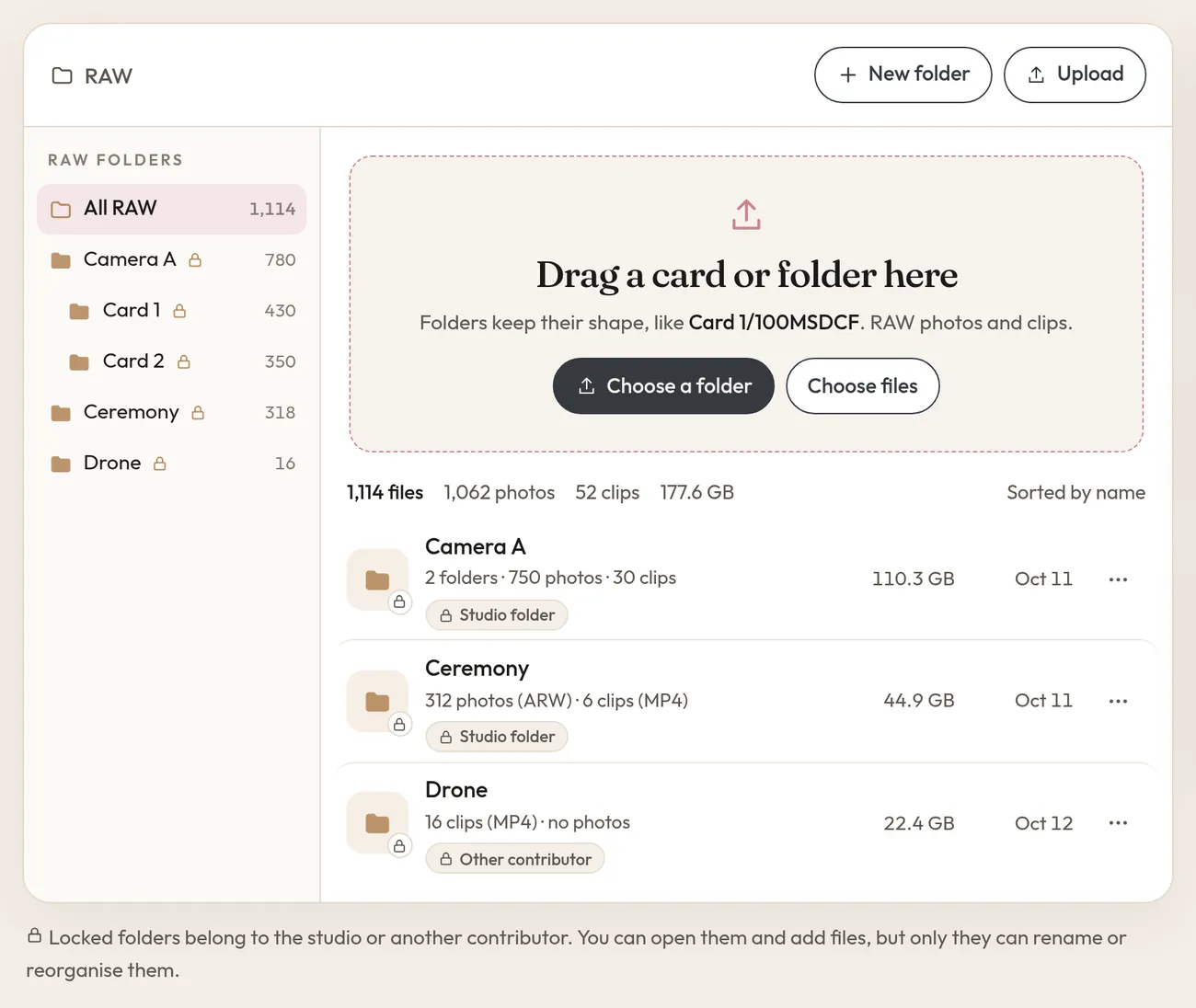
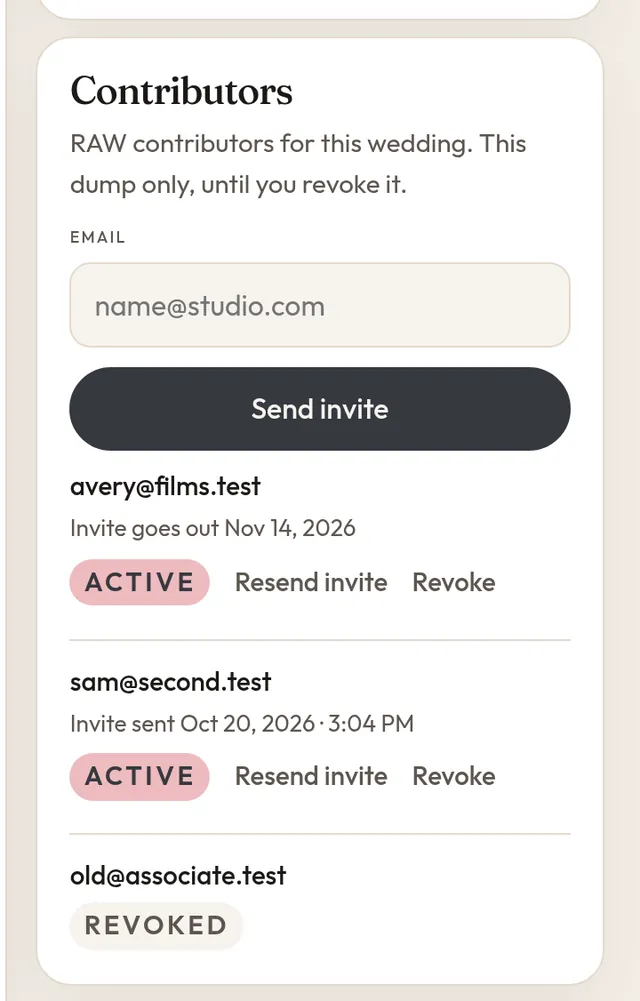
Invite a second shooter or a film team by email. They get an invite that names the wedding and a magic link, with no password to set up. They see the RAW side of that one wedding and upload into their own folders.
All plans
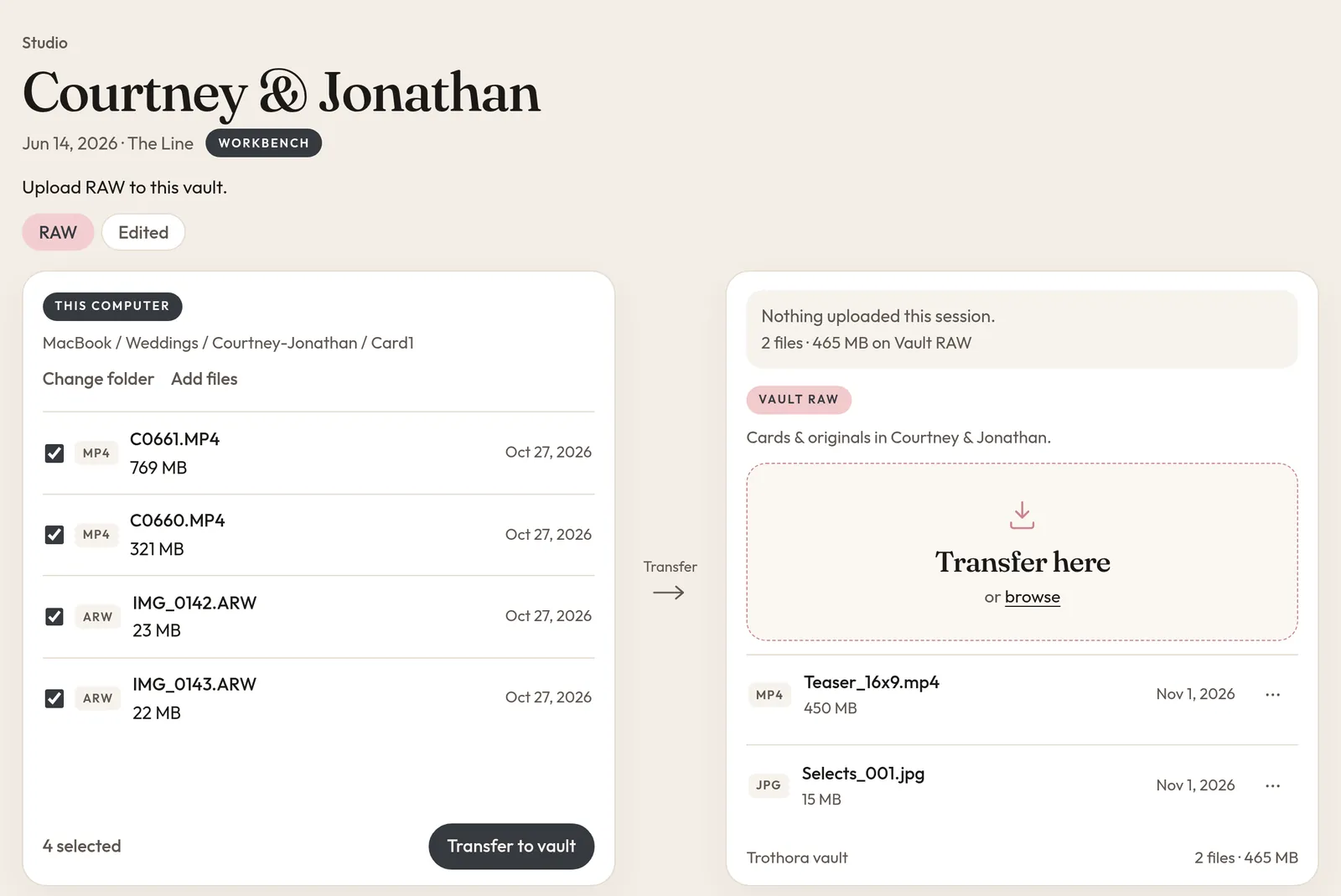
Open the workbench next to a vault and pick a folder on your computer. Tick the files you want and transfer them to RAW or Edited in one go. It is there for owners and editors, not for contributors or the couple.
All plans
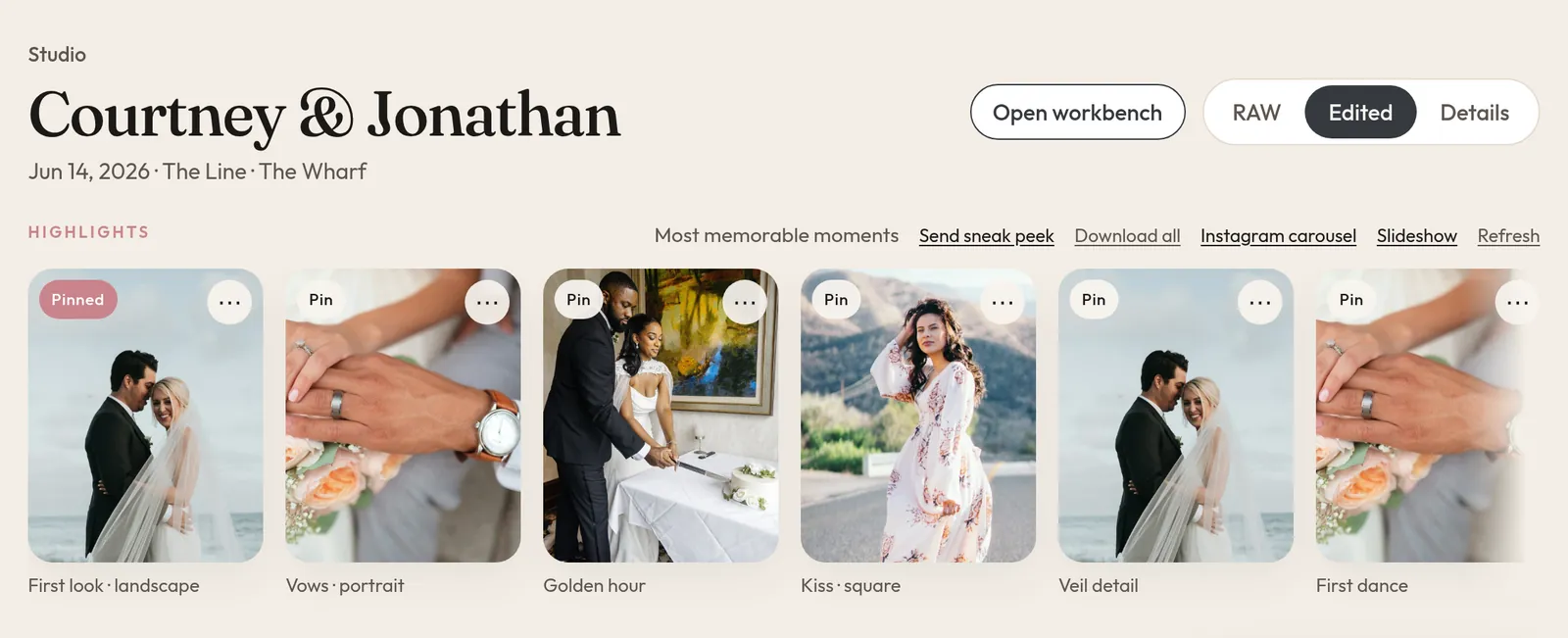
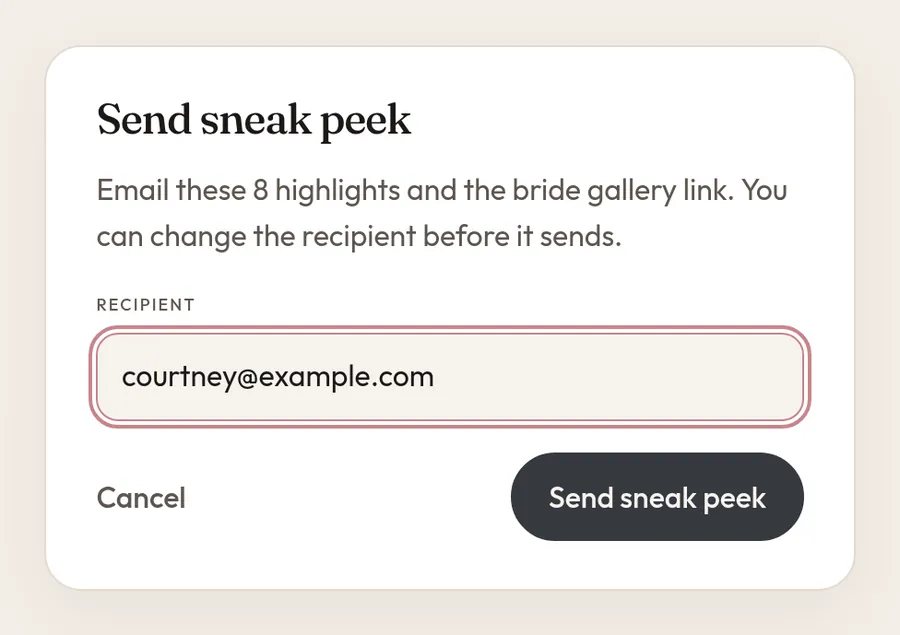
Trothora looks through your Edited finals and picks the eight most memorable frames. Pin the ones you love and they stay put. Your number one pick becomes the cover of the couple's gallery.
All plans
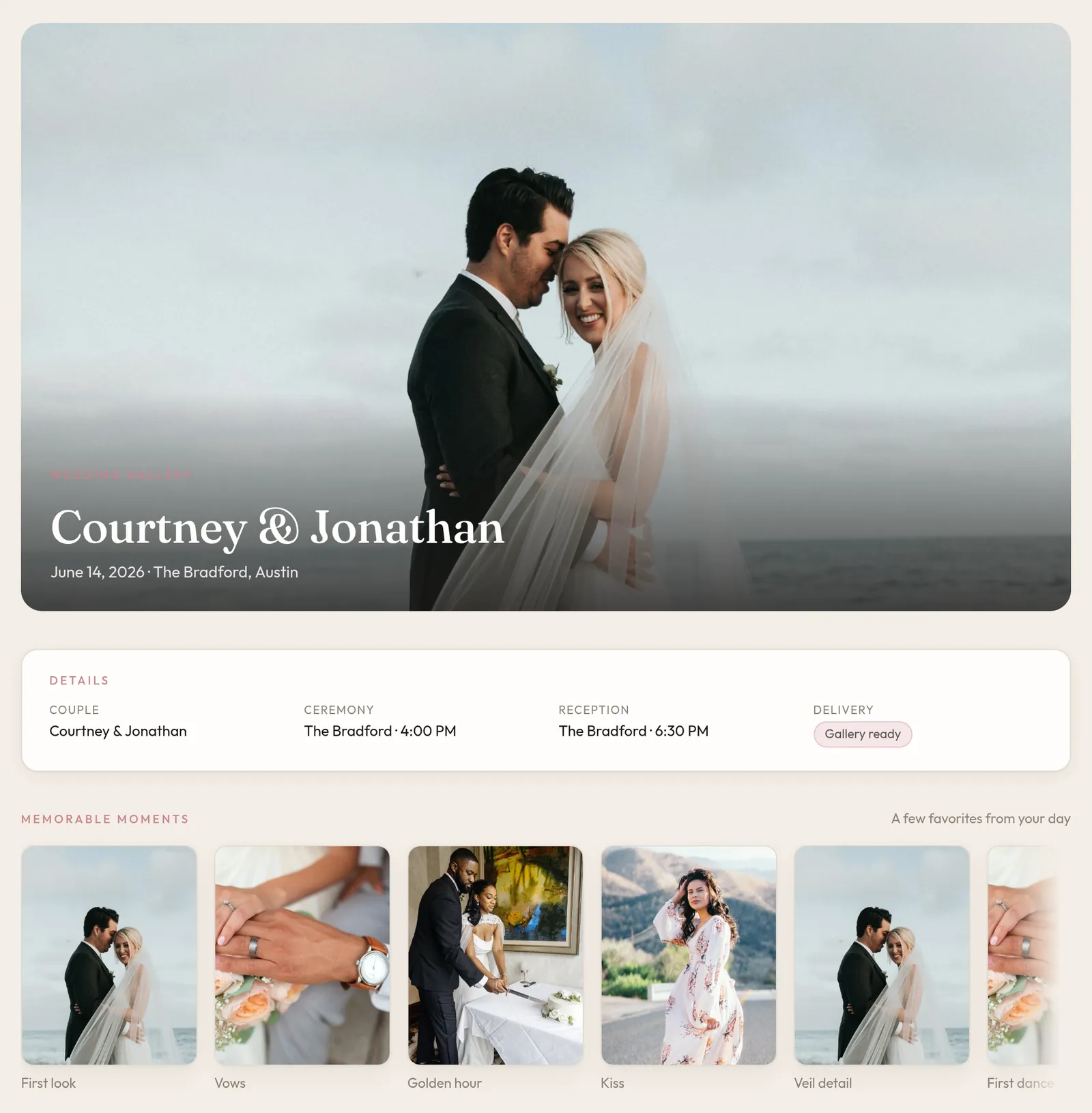
Every vault has a Bride-safe link. The couple opens it with no login and sees their Edited photos, the wedding details and their memorable moments. RAW files, internal notes and contributors never appear.
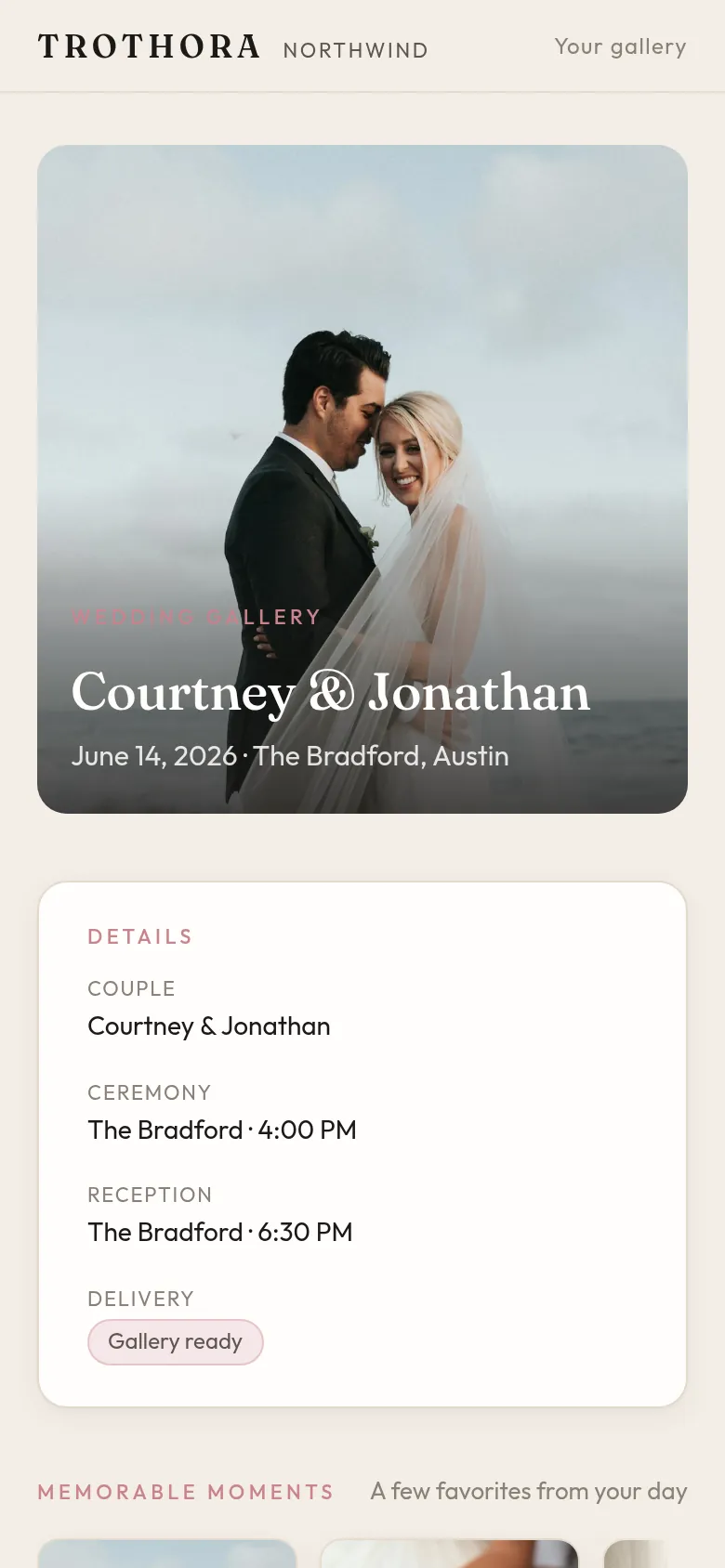
Pro
Tell Trothora how many keepers you want. It looks at every RAW frame and spreads the picks across the day, so the ceremony does not crowd out getting ready or the send-off. Edited finals are never culled, and your originals are never changed.
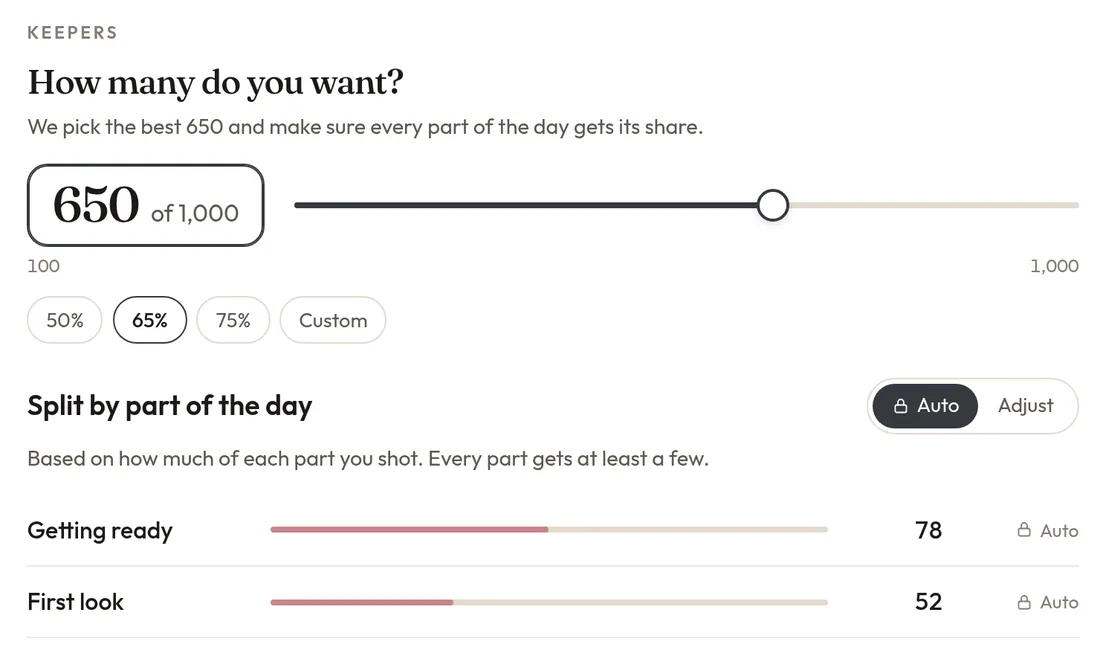
Pick a number or a percentage. Auto splits it by part of the day, or choose the sections yourself.
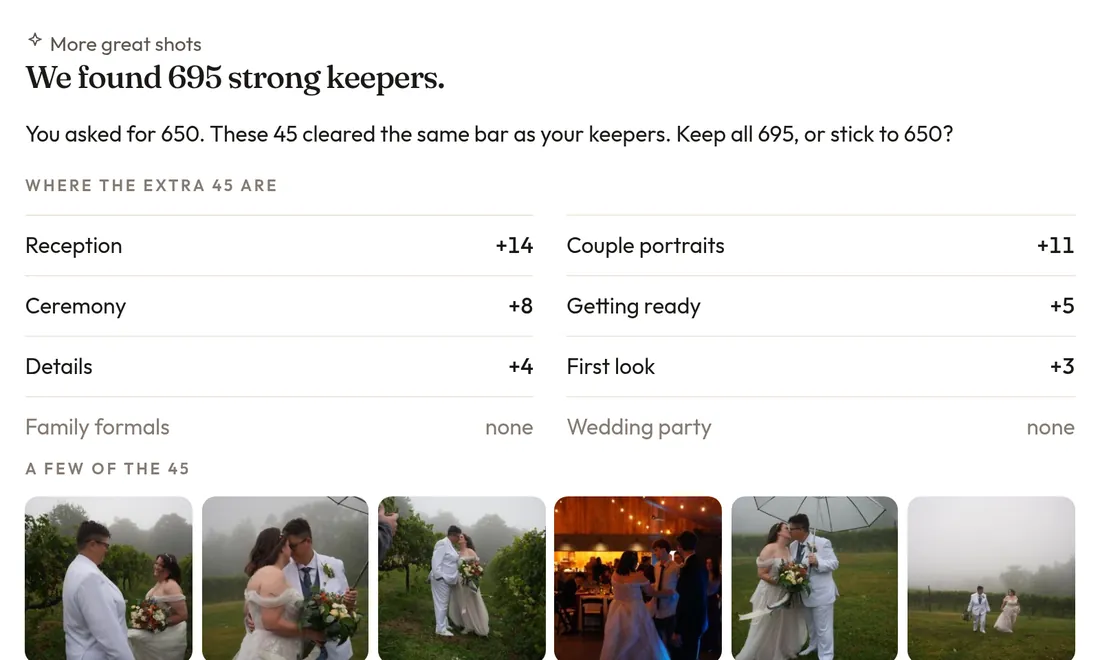
If more great shots clear the bar, Trothora shows you where they are and asks before going over your target.
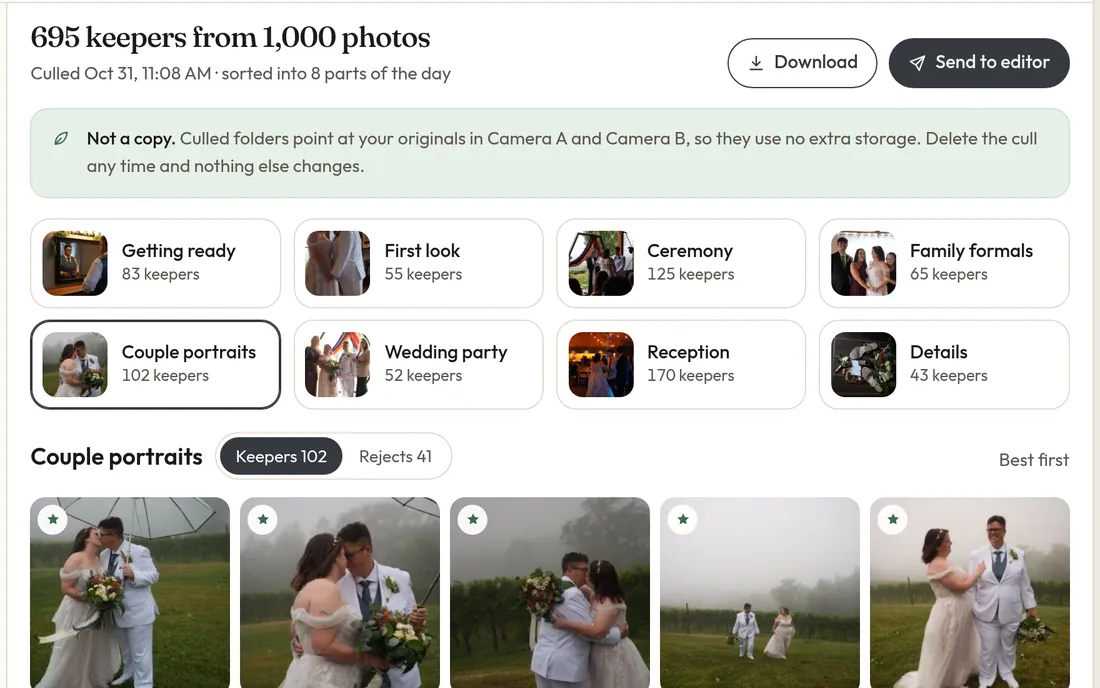
Keepers land in folders by part of the day. Culled folders point at your originals, so they use no extra storage.
Included in Pro and Studio. On the free trial you can try one cull run.
Pro
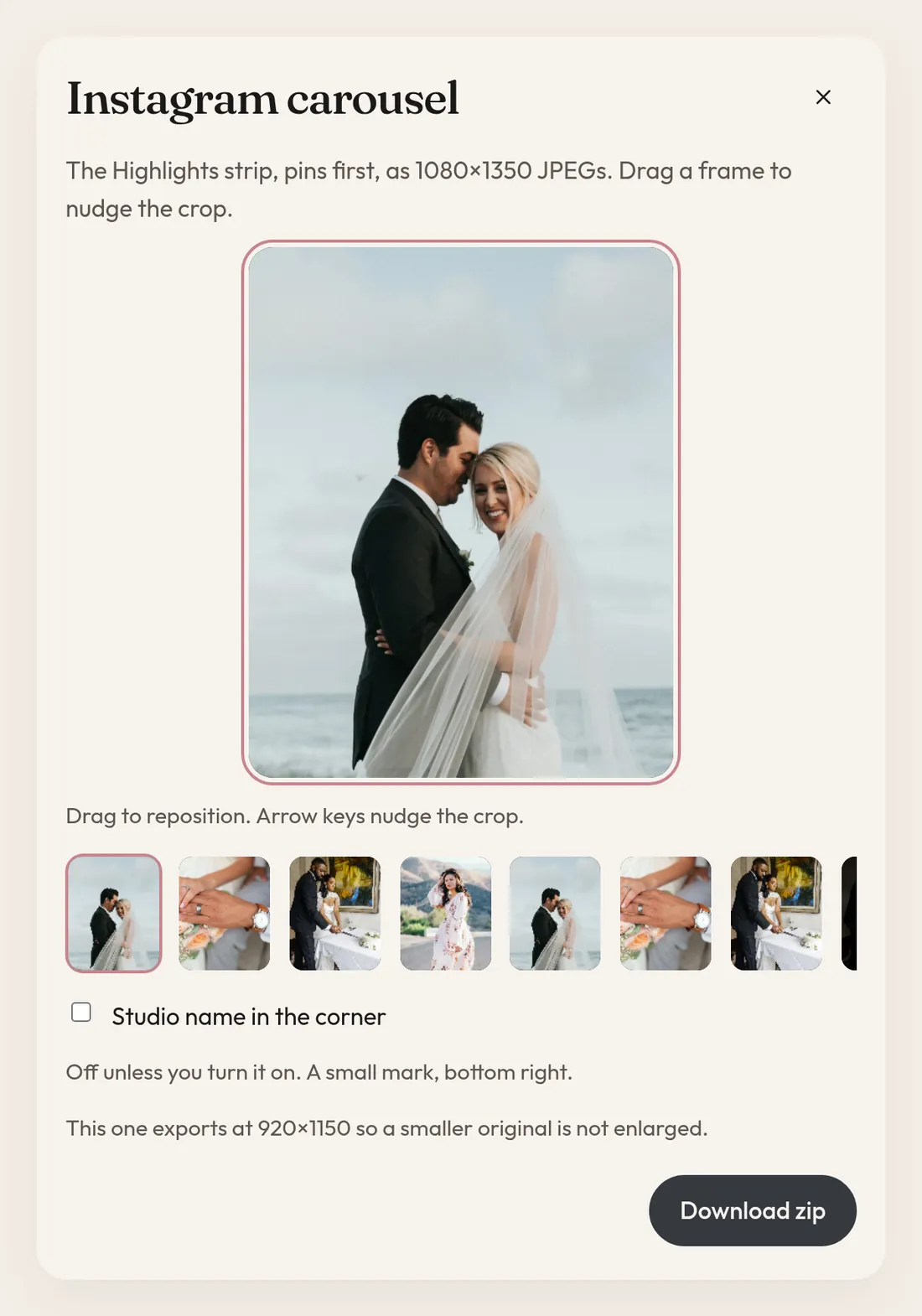
Turn your Highlights into an Instagram carousel or a slideshow. The carousel comes out as 1080 × 1350 JPEGs, pins first, and you can drag each frame to nudge the crop before you download.
The small things
All plans
Continue with Google or get a sign-in link by email. No password to remember. Tick Stay signed in and that device keeps you in for 30 days.
All plans
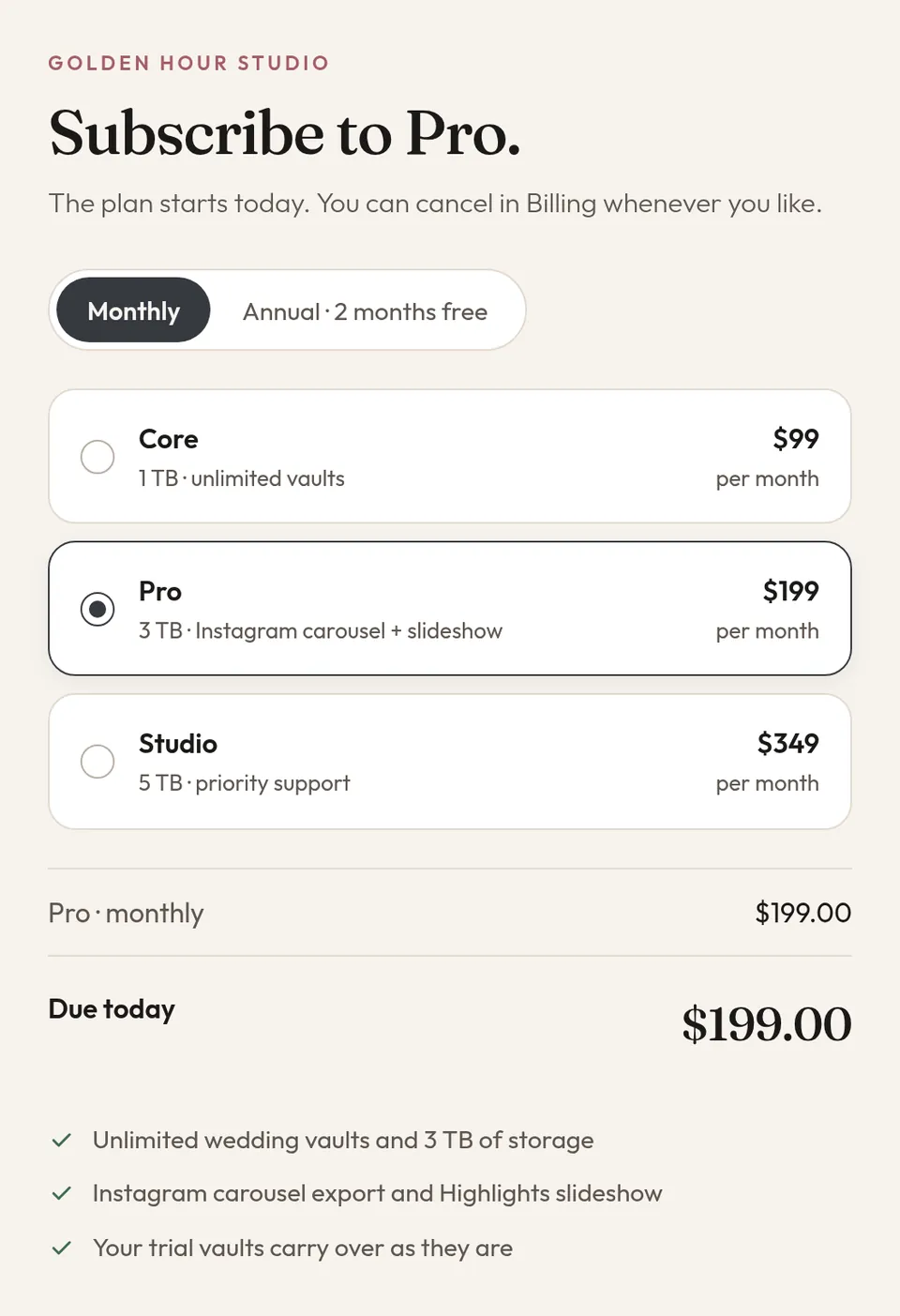
Pick Core, Pro or Studio, monthly or annual, and pay on a Trothora checkout page. Annual is ten times monthly. Your trial vaults carry over as they are.
Versus Drive and Dropbox
Drive and Dropbox are good at holding files. Trothora is built around the wedding, so the work around those files gets easier.
Organized around
Drive or DropboxFolders you set up by hand
TrothoraOne vault per wedding
RAW and finals
Drive or DropboxOne pile, unless you keep it tidy
TrothoraTwo sides: RAW and Edited
Second shooters
Drive or DropboxA shared folder, then you tidy up
TrothoraA magic link and their own folders
Picking favorites
Drive or DropboxBy hand
TrothoraHighlights picks, you pin
Culling
Drive or DropboxAnother app
TrothoraSmart RAW cull on Pro
Handing it over
Drive or DropboxA folder link that shows what is inside
TrothoraA Bride-safe gallery, Edited only
Drive or DropboxCrop and export somewhere else
TrothoraCarousel and slideshow on Pro
New: AI
New
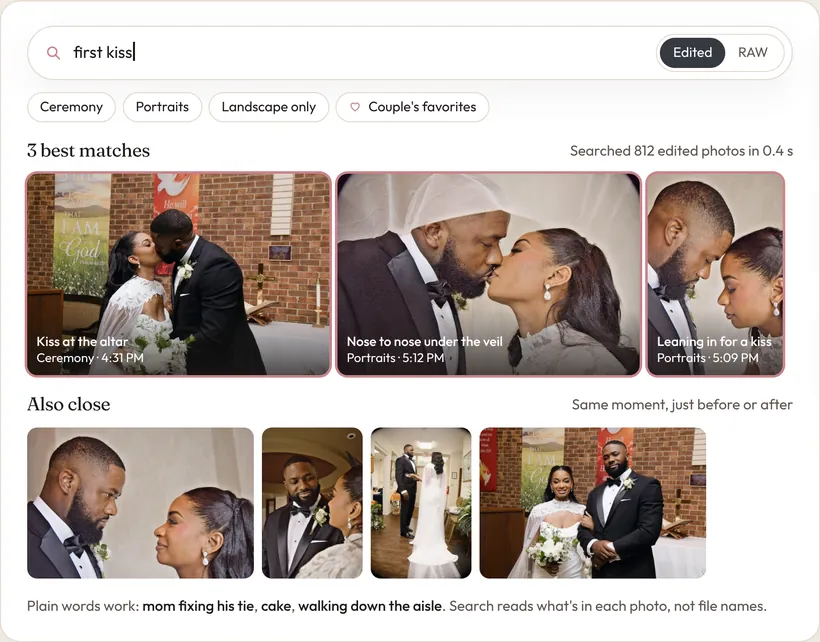
Type “first kiss” or “cake” and find it on Edited finals, on every plan. RAW search is on Pro and Studio. No tags or file names needed.
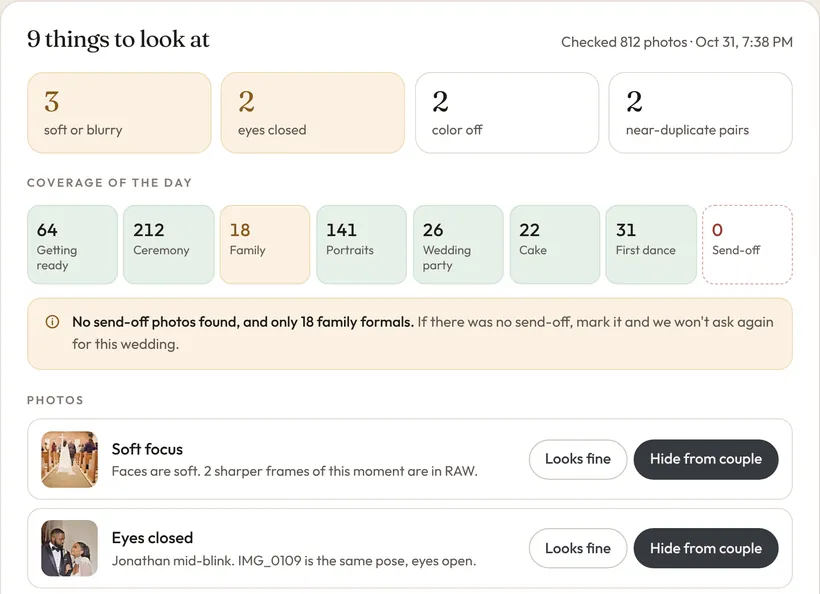
Before you send, a quick pass for soft frames, closed eyes, color drift and gaps in the day. On Pro and Studio.
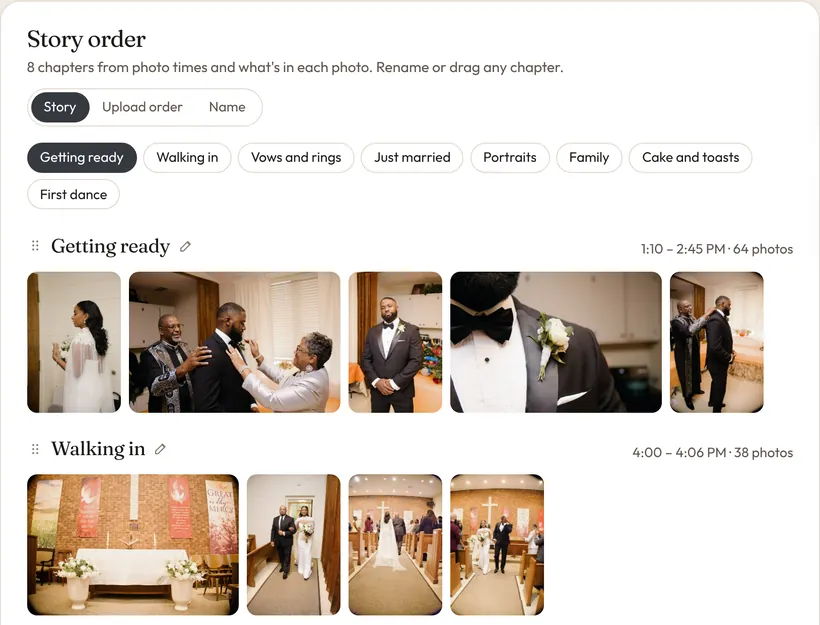
The couple's gallery in the order the day happened, from getting ready to the send-off. On every plan.
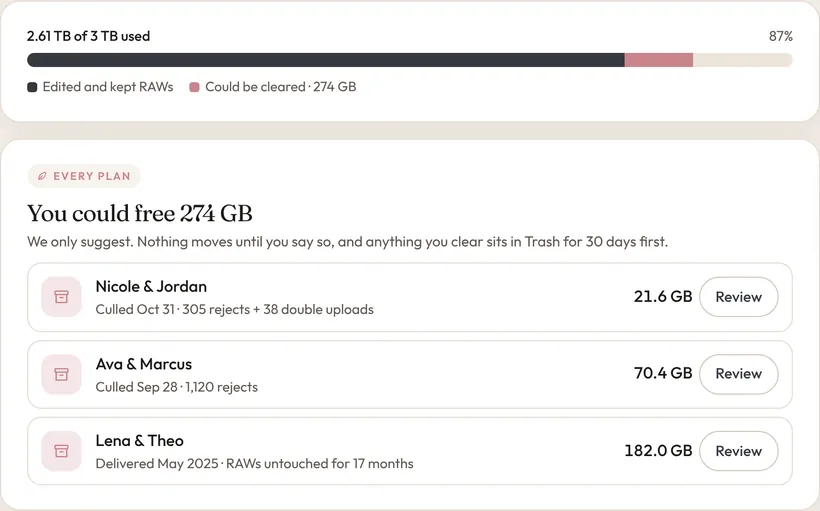
Suggestions for RAW you can clear, like rejects and double uploads. Trash is free for 30 days. On every plan.
Coming next Captions, a couple assistant, and a cull that learns your taste.
Plans
Monthly is the default. Annual is ten times the monthly price, about two months free.
| Feature | Core$99/mo | Pro$199/mo | Studio$349/mo |
|---|---|---|---|
| Storage | 1 TB | 3 TB | 5 TB |
| Wedding vaults | Unlimited | Unlimited | Unlimited |
| RAW folders, contributors, workbench | |||
| Highlights and sneak peek | |||
| Bride-safe couple link | |||
| Smart RAW cull | - | ||
| Instagram carousel and slideshow | - | ||
| AI search (Edited) | |||
| AI search (RAW) + pre-delivery check | - | ||
| Story-ordered couple gallery | |||
| Smart storage cleanup | |||
| Priority support | - | - |
Full pricing and annual totals are on the pricing section.
Free trial
Up to three wedding vaults and 50 GB, with no card and no time limit. Upgrade to Core, Pro or Studio when the calendar needs the room.